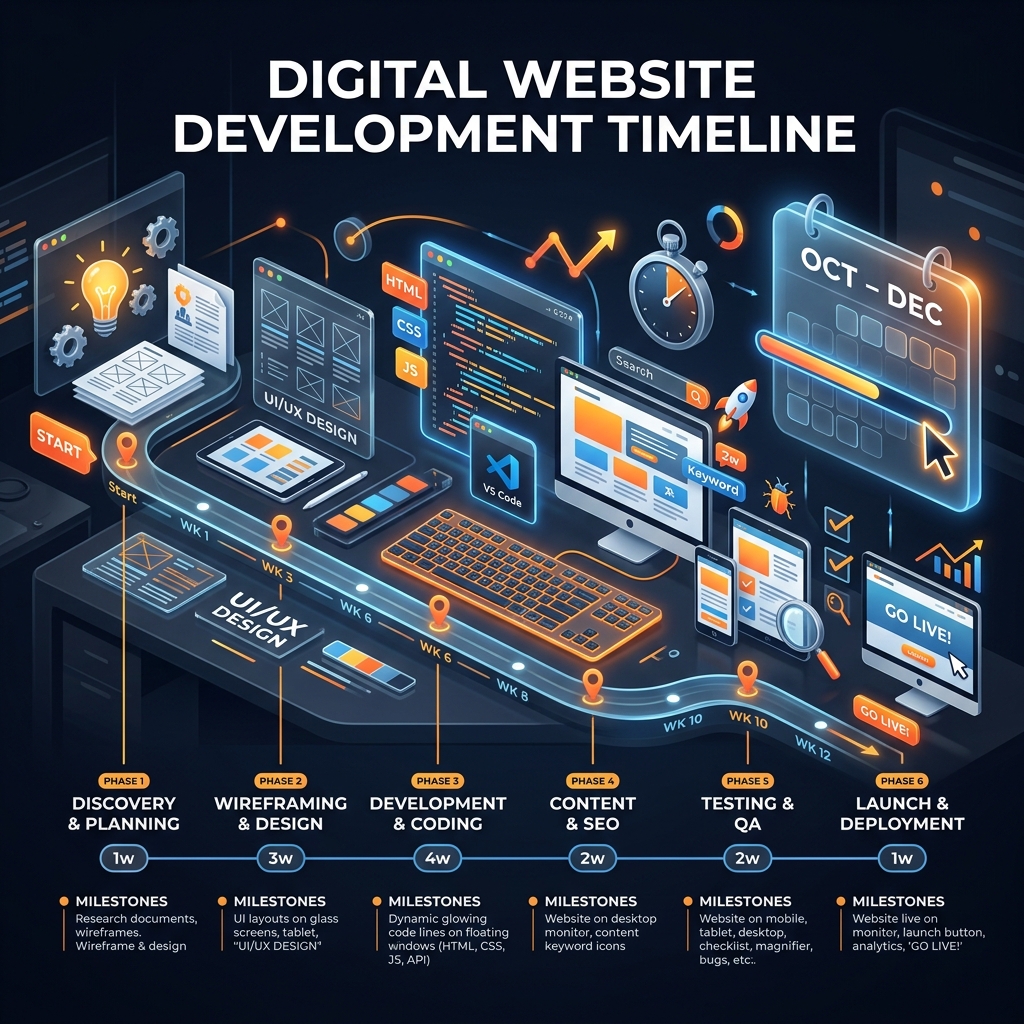
No vague "it depends." This guide gives you real, phase-by-phase timelines for every type of website — so you can plan your project with confidence.
1Website Timeline by Type — At a Glance
Before diving into phases, here's a straightforward reference table covering the four most common website types. These timelines assume a professional agency is handling the build with good preparation on both sides.
| Website Type | Pages / Scope | Timeline | Complexity |
|---|---|---|---|
| Simple Brochure Site | 3–5 pages | 2–4 weeks | Low |
| Business Website w/ CMS | 10–20 pages | 6–10 weeks | Medium |
| E-commerce Website | 50–500+ products | 10–16 weeks | High |
| Custom Web Application | Varies by spec | 16–32+ weeks | Very High |
These are realistic timelines for a professional, custom-built website — not a template filled in over a weekend. The timelines reflect genuinely designed, properly developed websites built to last.
2Design Phase — Wireframes & Visuals
Design is where your website takes shape visually. This phase covers wireframing, visual design, and design review rounds. A business with a clear brand identity and quick decision-making moves through design in days. One without takes weeks.
Gather your reference sites, brand colours, fonts, and a finalized logo before the project starts to cut design time by 30–40%.
3Development & Coding Phase
Development is where the approved designs are turned into a working, live website. This is typically the longest single phase of any project.
- Frontend development (1–6 weeks): Converting the approved designs into HTML, CSS, and JavaScript. Includes responsive layout for mobile, interactive elements, and navigation.
- Backend development (1–8 weeks): Setting up the CMS, database, user accounts, payment gateways, APIs, and custom logic.
- Third-party integrations (3–10 days/ea): Connecting your site to CRMs, payment processors, email marketing, and analytics.
- Testing & quality assurance (3–14 days): Cross-browser testing, mobile responsiveness checks, performance optimization, and security checks.
Every new feature added after development begins costs 2–3× what it would have cost in the original scope. Lock your scope before development starts.
4Content Writing & Loading
Content is the most consistently underestimated phase of any website project — and the most common reason projects finish late.
Start gathering your content — logos, photos, existing copy — on Day 1 of the project, in parallel with design. Do not wait until the site is built.
5Common Timeline Delays — and How to Avoid Them
Scope changes mid-development
Lock scope before development begins.
Content arrives late or incomplete
Run content in parallel with design.
Slow feedback and approval cycles
Assign one decision-maker per project.
Third-party integration problems
Set up third-party accounts early.
Atomicslate Labs Team
The Atomicslate Labs Team team brings you expert-reviewed guides and practical architecture advice for businesses scaling in the modern web era.
